Your Team's AI-Powered Sixth Sense
PHISH360° alerts users to phishing in real time. Your security team responds intelligently.
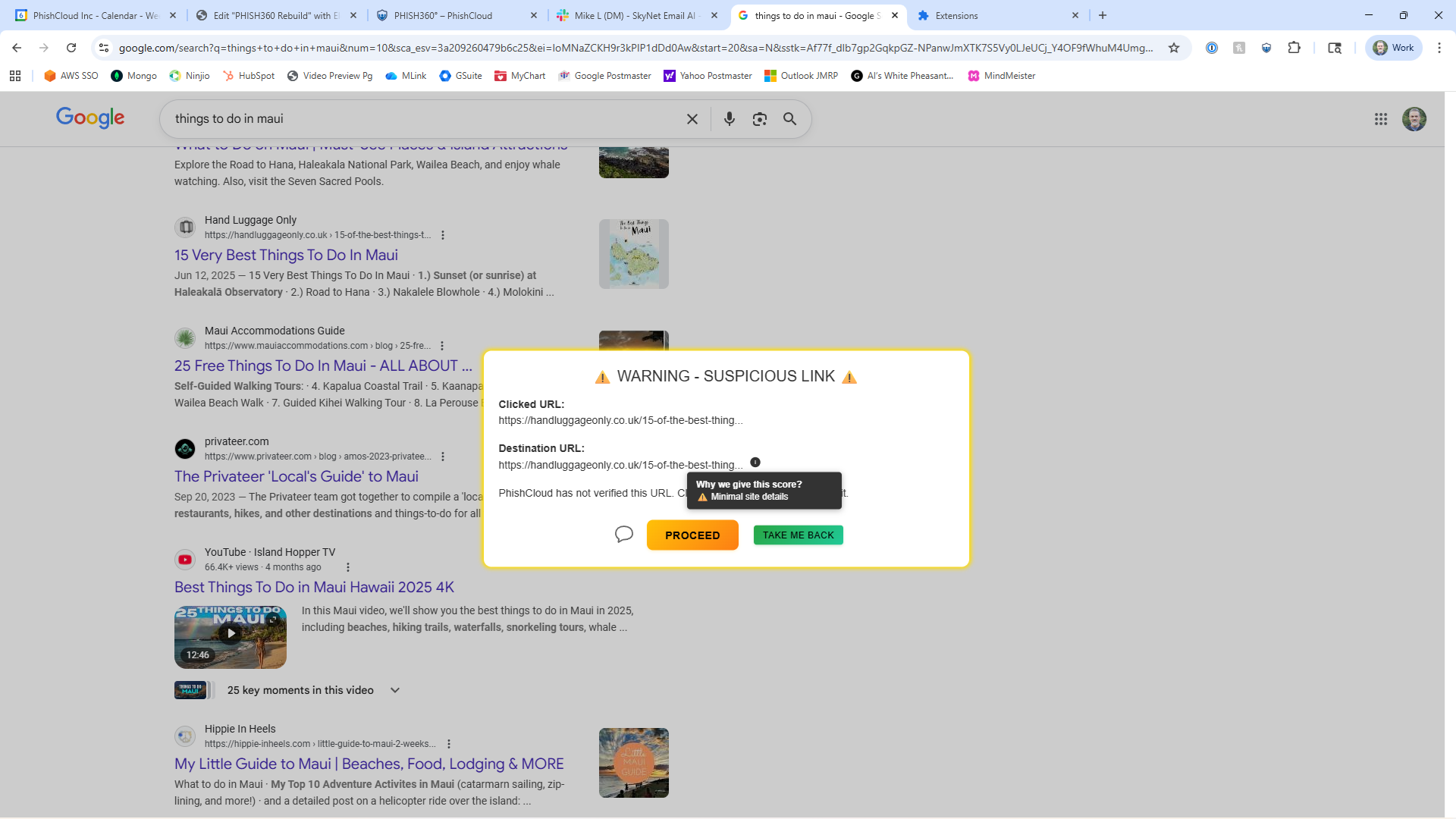
Scans every URL in the browser to catch phishing threats before they're clicked
Completely anonymized. We don't collect user data or PII, just threat intelligence
Unshortens links so no more surprise redirects. You see where the link really goes
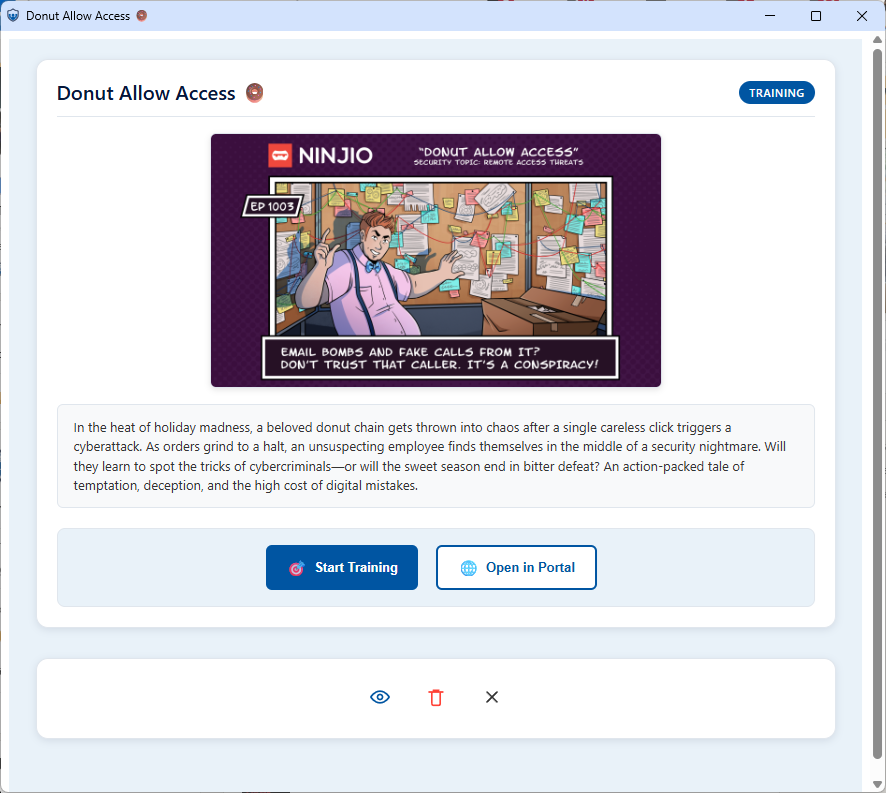
Delivers reality-based training based on actual malicious content your team encounters
Gives security teams key details to help users without chasing false positives
PHISH360° Advanced Capabilities
Enterprise-grade threat detection and intelligence, powered by AI

AI-Powered Risk Scoring
Analyzes billions of data points instantly to score threat severity in real time
Adaptive Threat Intelligence
Continuously updates from 671 live sources to detect emerging threats faster
Predictive Attack Modeling
Uses patterns across 100M+ domains to forecast threats before they strike
Automated Training Assignment
Targets employees with customized learning based on live exposure and risk level

Cross-Channel Protection
Guards email, browsers, messaging apps, collaboration tools, and mobile devices

Malicious Link Management
Detects, classifies, blocks, and enforces link policies in real time across your org
Malicious Link Management
What users can't do. What security teams spend hours analyzing. PHISH360° does in 3 seconds.
⚠️What Users Face
Shortened URLs, encoded links, and redirects mask true destinations
Users lack the tools to analyze what they're clicking before it's too late
Even seasoned security practitioners need minutes to manually analyze links
Phishing attacks exploit this knowledge gap at scale
🔍AI-Powered Detection
Real-time URL reputation analysis against threat intelligence feeds
Behavioral analysis catches phishing by page behavior, not just domain reputation
Zero-day protection identifies malicious URLs before traditional databases catch them
Dynamic content inspection detects multi-stage attacks post-redirect
✨Seamless Protection
Transparent warnings empower users instead of grinding work to a halt
One-click verification lets users confirm link safety or understand the threat
No plugin slowdown—scanning happens in the background, imperceptible to users
Real-time education teaches users why links are dangerous, not generic training
💼Real Business Value
Reduces security support tickets by eliminating "Is this real?" questions
Prevents credential harvesting before mass employee compromise happens
Compliance-ready audit trails log every link decision for regulatory requirements
Protection across email, Slack, Teams, WhatsApp, and any web browser
🛡️Advanced Threat Coverage
Defeats link-jacking tactics where attackers compromise legitimate domains
Catches credential-stuffing links designed for password reuse attacks
Detects malicious links embedded in trusted newsletters and vendor emails
Stops QR code phishing by scanning and validating before users interact
Frequently Asked Questions
Everything you need to know about PHISH360°
How does PHISH360° detect malicious links?
+
PHISH360° uses advanced AI to analyze URLs in real time by scanning threat intelligence feeds, examining page behavior post-redirect, detecting encoded/shortened links, and identifying zero-day threats before they appear in traditional databases. Detection happens in the browser within 3 seconds on average.
Does PHISH360° collect my personal data?
+
No. PHISH360° is completely anonymized. We don't collect user data or personally identifiable information (PII). We only gather threat intelligence about malicious links to protect your organization and improve detection accuracy.
Will PHISH360° slow down my browser?
+
No. PHISH360° scans run entirely in the background with no noticeable impact on browser performance. Our lightweight architecture ensures imperceptible operation while maintaining complete protection.
Can PHISH360° unshorten URLs?
+
Yes. PHISH360° automatically unshortens links and reveals the true destination before you click. This prevents attackers from hiding malicious redirects behind shortened URLs like bit.ly or tinyurl.
What happens when PHISH360° detects a threat?
+
PHISH360° displays a transparent warning that empowers users to make informed decisions. Users can see details about the threat, confirm why the link is dangerous, or proceed if they believe it's safe. Your security team also receives alerts with full context for investigation.
Does PHISH360° protect QR codes?
+
Yes. PHISH360° scans and validates QR codes before users interact with them, preventing QR code-based phishing attacks that are increasingly common in social engineering campaigns.
What platforms does PHISH360° protect?
+
PHISH360° provides cross-channel protection across email, web browsers, Slack, Microsoft Teams, WhatsApp, and other messaging and collaboration tools. Full coverage means threats are caught everywhere your employees work.
How does PHISH360° provide security training?
+
PHISH360° delivers reality-based training by analyzing actual malicious content your team encounters. Instead of generic modules, users learn from real threats they've seen, making training immediately relevant and more effective at changing behavior.
Can PHISH360° reduce security team workload?
+
Absolutely. PHISH360° reduces false positives and eliminates repetitive "Is this real?" support tickets by giving users confidence to make link decisions. Security teams focus on real threats instead of employee questions.
Is PHISH360° compliant with regulations?
+
Yes. PHISH360° provides compliance-ready audit trails that log every link decision and threat detection event. Full records are available for regulatory requirements like HIPAA, GDPR, SOC 2, and internal security policies.
How does PHISH360° handle false positives?
+
PHISH360° uses behavioral analysis and contextual threat intelligence to minimize false positives. When warnings are triggered, users receive specific details about why a link is flagged, allowing them to override if they're confident it's legitimate.
Can attackers bypass PHISH360°?
+
PHISH360° defeats advanced tactics including link-jacking, domain compromise, credential-stuffing URLs, and multi-stage redirects. Our AI continuously learns from emerging attack patterns across 100M+ domains to stay ahead of evolving threats.